Guides • 18 min
Agent Skills as Code
A portable spec for Claude Code, Codex, and OpenCode.
Introduction
Coding agents have been steadily improving over the last few years, but they've especially taken the world by storm in the last few months. According to Andrej Karpathy, inventor of the term "vibe coding," coding agents basically didn’t work before December 2025 and basically work since. Boris Cherny, the creator of Claude Code, claims that 80 to 90% of the code written for Claude Code is itself written by Claude Code.
Claude Code by Anthropic and Codex by OpenAI are leading the charge from the big AI companies while OpenCode is far and away the leading open source coding agent. But they're not the only game in town; Copilot by GitHub and Gemini by Google have their own coding agents as well. With all these different tools available, it can be challenging to know how to get the most out of them and what techniques will provide the biggest bang for your buck.
This is where Agent Skills come into the picture. Released in December 2025 by Anthropic, they’re designed to be tool agnostic and provide extensible and customizable abilities for the current crop of coding agents. This article will explain what Agent Skills are, what makes them unique, and how to make the best use of them regardless of the coding agent tool you are using.
What Is a Skill and Why Does it Matter?
The main problem that skills are designed to solve is the problem of models not knowing your codebase, your workflows, and your coding conventions. Despite the usefulness of coding models, they frequently produce inconsistent outputs and spaghetti code, also known as "AI slop." Since every developer has their own style of prompting, agents can display inconsistent behavior across codebases, leading to problems like:
- Re-explaining release, review, and deploy context for each session
- Varying formats across outputs
- Tribal process knowledge being siloed from engineer to engineer
- Decisions are hard to audit because procedures are living in chat history
Skills make agent workflows more explicit, and most importantly, reusable. For example, instead of saying "please follow our release checklist" with a large block of todos copy/pasted each time, you can define a release-check skill with required inputs, ordered steps, validation checks, and expected outputs. Now instead of a one-off process, you have infrastructure the rest of your team can make use of.
Anatomy of a Skill
So what does a skill look like? It’s actually very minimal. A skill is a folder with a SKILL.md markdown file. At minimum, that file will contain two pieces of metadata (name and description), and instructions for the coding agent to follow. Beyond that, it can include scripts, references, assets, or examples. A common skill directory looks like this:
my-skill/
├── SKILL.md           # Required: metadata + instructions
├── scripts/           # Optional: executable helpers
├── references/        # Optional: deep docs
└── assets/            # Optional: templates, schemas, fixtures
Your hello world SKILL.md file only needs to include:
---
name: my-skill
description: >
  What this skill does and when to use it.
  Include keywords users actually type.
---

# My Skill

## When to use
...
The name is how you'll invoke the skill from your agent, and the description provides the routing signal that decides whether the skill is selected or not.
A weak and vague description that doesn’t communicate much to the agent would look like:
description: Helps with PDFs.In contrast, a better description gives more detail and direction:
description: >
  Extract text and tables from PDF files, fill PDF forms,
  and merge documents. Use when the user asks about PDFs,
  forms, OCR cleanup, extraction, or document merging.
Beyond the main fields that are common across all skills, there are also tool-specific fields (see references). If an agent is given a skill with fields it does not understand, it will ignore those fields, so you can include extensions without worrying about breaking portability. In this article we’ll focus on how to build a skill that works consistently across all coding agents.
How Skills Work
Progressive Disclosure
Skills work by progressive disclosure, meaning they are loaded in stages and won't blow up your agent's context limit every time they are used. There are three levels at which they are read and understood by agents, keeping your skills token-efficient:
- Discovery metadata: load lightweight metadata (
name,description) so the agent can read all available skills quickly and efficiently. - Full instructions: load
SKILL.mdbody only when matched or explicitly invoked. - Resources on demand: load additional scripts, references, and assets only when needed.
How to Write a Skill
Start with a small and focused skill that builds around a single workflow instead of many workflows all crammed into a single skill. Recommended body sections include:
- When to use / When NOT to use
- Required inputs
- Step-by-step procedures
- Expected outputs
- Failure handling
- Definition of done
This is a reusable skeleton to give you an idea of how a skill should look:
## Inputs Required
- Repository path
- Target branch
- Test command

## Procedure
1. Validate required inputs.
2. Analyze changed files and blast radius.
3. Run checks and capture failures.
4. Produce findings in severity order.

## Expected Outputs
- Markdown report at `reports/review.md`
- List of blocking issues
- Suggested remediation steps

## Definition of Done
- [ ] Inputs validated
- [ ] Changed files analyzed
- [ ] Report written
- [ ] Blocking issues flagged
Keep instructions as explicit as possible to improve reliability:
- Use imperative steps ("Do X, then Y")
- Define output format and success criteria
- Call out edge cases and common failure modes
- Include definition of completeness
Make sure to audit the length of your skills to ensure they don’t get too long. Your skill should aim to be under 500 lines or 5,000 tokens. If it grows beyond that, break it up into multiple files:
- Move deeper docs into
references/ - Move large examples into
references/examples.md - Move schemas and templates into
assets/ - Link everything with relative paths from the base
SKILL.mdfile
A skill should encompass a single capability or workflow. If you find yourself trying to put multiple workflows into a single skill, break it up into multiple skills with clear descriptions for when to use one versus another.
Instructions vs Scripts
A good rule of thumb is relying on scripts when correctness depends on computation or can be verified with a reusable snippet.
- Instruction-only skills are best for policy or process guidance and are more portable.
- Script-backed skills are best for transformations, validations, report generations, and exact formatting checks.
Best practices for scripting your skills are similar to general best practices for scripting:
- Validate dependencies early
- Print actionable and clear errors
- Avoid hidden side effects
Triggering and Invoking Skills
Skills trigger either implicitly by the agent matching your request to a skill’s description field or explicitly by invoking the skill by name in the tool UI. Your descriptions should be written using real user phrases such as “review this PR” so implicit triggering is reliable.
Explicit invocation should be used for anything risky like deployments, migrations, or any kind of destructive action. A portable best practice is to always plan first and then execute only with explicit confirmation so you don’t get accidental side effects.
Tuning Trigger Behavior
If you find that your skill is triggering too often, you can adjust the following:
- Narrow the description
- Add explicit "do not use when" boundaries
- Disable implicit invocation for risky workflows
If your skill is not triggering as often as you would like or is never triggering, you can:
- Add concrete user phrasing and synonyms
- Add explicit "use when..." language
- Verify directory name exactly matches
name
Cross-tool Invocation
Here's a quick breakdown of the most popular agent tools and how they discover skills:
| Tool | Typical skill locations | Invocation highlights |
|---|---|---|
| Claude Code | ~/.claude/skills/, .claude/skills/ | Slash-style invocation, rich controls (context, agent, tool restrictions) |
| OpenAI Codex | ~/.agents/skills/, .agents/skills/ | Explicit skills UX plus implicit matching; optional agents/openai.yaml |
| GitHub Copilot | .github/skills/, .claude/skills/, .agents/skills/ + user roots | /skills configuration, frontmatter toggles |
| OpenCode | Spec-compatible roots including .agents/skills/ | Strong spec alignment with permission-aware controls |
Each tool exposes slightly different controls for user visibility, auto-triggering, and permission boundaries:
| Capability | Claude Code | Copilot | Codex | OpenCode |
|---|---|---|---|---|
| Hide from user menu | user-invocable: false | user-invokable: false | N/A | N/A |
| Prevent auto-invocation | disable-model-invocation: true | disable-model-invocation: true | allow_implicit_invocation: false in agents/openai.yaml | Permission policy in opencode.json |
| Permission control | Permission rules | N/A | N/A | allow / deny / ask patterns |
One important naming gotcha to watch out for:
- Claude Code:
user-invocable - Copilot:
user-invokable
If you need consistent behavior across both, include both keys (as mentioned previously, agents will ignore fields they don't recognize):
---
name: deploy
description: Deploy the application to production. Manual invocation only.
disable-model-invocation: true
user-invocable: true   # Claude Code spelling
user-invokable: true   # Copilot spelling
---
Unified Skills Directory Setup
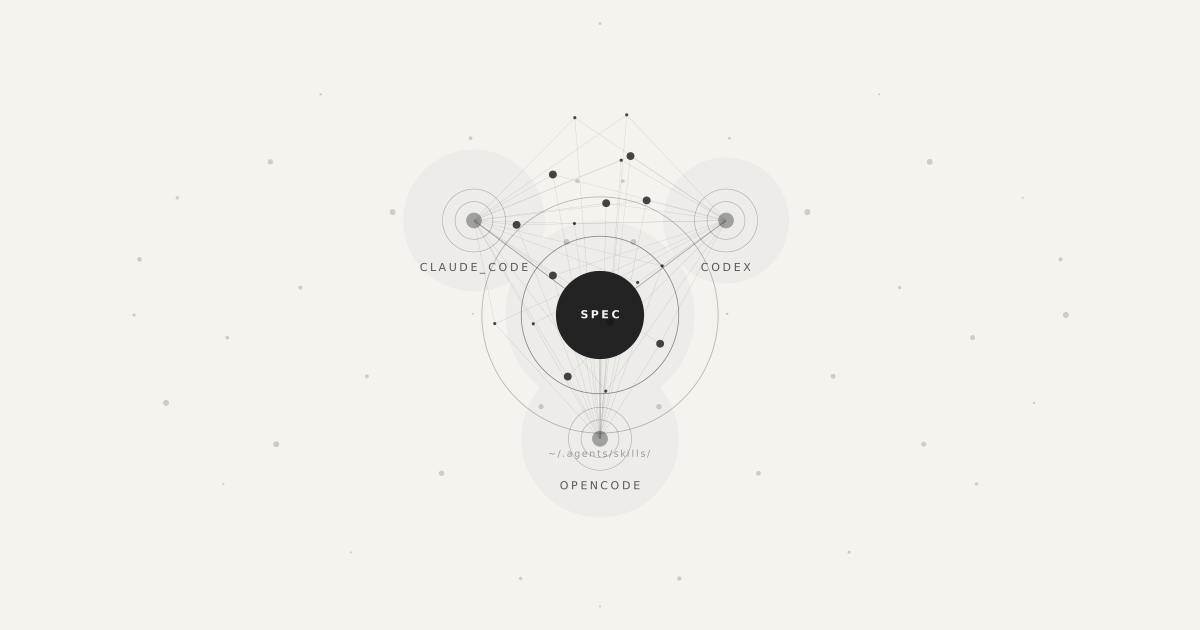
This section provides a guide for a skills setup that works consistently across each main coding agent by using symlinks to give your agent access to the core skills:
~/.agents/skills/as canonical (real directory) for Codex and OpenCode~/.claude/skills -> ~/.agents/skillsfor Claude Code and most Copilot contexts~/.copilot/skills -> ~/.agents/skillsas an extra compatibility path for Copilot CLI
The .agents/skills path is vendor-neutral and aligns with the open spec naming convention, so it's the safest bet for long term maintainability. Claude Code and Copilot work fine via symlinks and keeping one real directory avoids drift, duplicate edits, and naming collisions.
| Tool | Path it scans | What it sees |
|---|---|---|
| Codex | ~/.agents/skills/ | Real directory (native path) |
| Claude Code | ~/.claude/skills/ | Symlink to canonical directory |
| Copilot CLI/VS Code | ~/.claude/skills/ or ~/.copilot/skills/ | Symlink to canonical directory |
| OpenCode | ~/.agents/skills/ | Real directory (native path) |
Verification Checklist
After setup, verify each tool sees the same skills:
- Claude Code: Ask what skills are available or inspect slash command suggestions.
- Codex: Use the skills menu/command palette and confirm expected names are listed.
- Copilot (VS Code): Type
/in chat or open/skillsand confirm the shared set appears. - OpenCode: List available skills and confirm there are no duplicate names.
If one tool is missing skills:
- Recheck symlink targets and permissions.
- Confirm directory name matches each skill
name. - Remove duplicate physical copies from alternative locations.
Start With One Workflow
Now you know what a skill is, how to write a skill, and how to invoke it from your agent of choice. But where should you start? I'd recommend starting with one repetitive workflow you frequently find yourself having to do and package it into a single, focused skill. After creating this skill, test it out and see how it performs.
If it's not triggering correctly, improve the description language. Validate it works with your tool of choice and continue to iterate and improve the skill each time you use it. Soon you'll start building up a repertoire of useful skills that can cut your development time significantly.
References
- Agent Skills: What are skills?
- Agent Skills Specification
- Integrate skills into your agent
- Claude API: Agent Skills overview
- Claude Code: Extend Claude with skills
- OpenAI Codex: Skills documentation
- VS Code Copilot: Use Agent Skills
Useful Skills to Try
- anthropics/skills — Official Anthropic skill collection covering creative workflows, technical tasks, and enterprise use cases.
- openai/skills — OpenAI’s Codex skills catalog with reusable task-focused skills packaged as instructions, scripts, and resources.
- agentskills/agentskills — The open Agent Skills specification and example ecosystem for portable cross-agent skills.
- ComposioHQ/awesome-claude-skills — A large curated list of Claude skills, resources, and workflow automation utilities.
- BehiSecc/awesome-claude-skills — A broad community collection of Claude skills with strong coverage of full-stack development and tooling workflows.
- VoltAgent/awesome-agent-skills — A curated directory of real-world agent skills from engineering teams and community contributors across many platforms.
- vercel-labs/agent-skills — Vercel’s collection of agent skills for AI coding agents, especially around frontend and deployment workflows.
- supabase/agent-skills — Supabase-focused skills that help agents work more accurately with databases, auth, and backend development tasks.
- hashicorp/agent-skills — HashiCorp’s skills and Claude Code plugins for Terraform, Packer, and related infrastructure workflows.
- K-Dense-AI/claude-scientific-skills — A large library of research, science, engineering, finance, and writing-oriented agent skills.