Guides • 16 min
Agent Auth Protocol
A practical guide to agent-native identity, capability grants, delegation, and lifecycle control with Agent Auth.
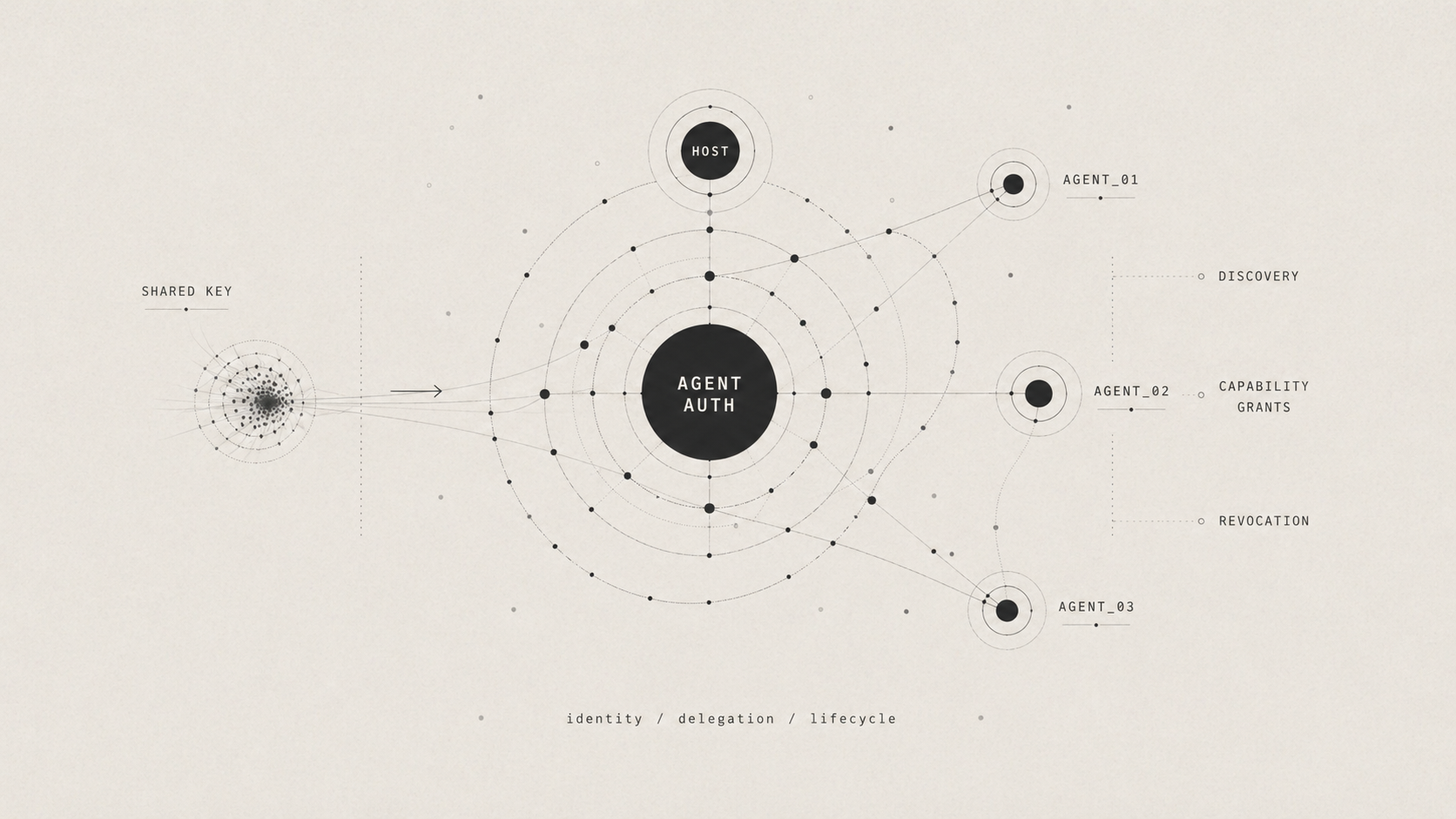
Agent-Native Identity, Delegation, and Lifecycle
This guide explains why agent authentication breaks when we reuse human- or app-centric auth, what Agent Auth changes, and how to run a before-and-after demo that makes the differences concrete.
Why Agent Auth Is Hard
Traditional auth was mostly designed for two kinds of callers:
- A human user in an app
- A backend service using one app-level credential
That model starts to break once a single user or system can spin up multiple agents, tools, or background jobs that all need to act somewhat independently. If those agents all reuse the same session cookie, OAuth token, or API key, the server can no longer tell them apart. That makes it hard to answer basic questions like:
- Which agent made this request?
- What was it supposed to be allowed to do?
- How do we turn off just that one agent if something goes wrong?
That is the problem space this tutorial is addressing. The "before" side shows what happens when every runtime actor is collapsed into one shared credential. The "after" side shows a more agent-native model where each agent is treated as its own actor with its own identity, permissions, and lifecycle.
In this section, we'll refer to the following terms:
- A runtime actor is the thing actually making a request right now, such as a specific agent process, tool invocation, or background worker.
- Attribution means being able to say exactly which runtime actor performed an action.
- Revocation means disabling access. With shared credentials, you often have to disable everyone at once.
- Delegation means letting an agent act on behalf of a user or host application, but only within clearly defined limits.
| What goes wrong | Why the old way fails | What the new way adds |
|---|---|---|
| Identity collapse | If every agent uses the same API key or the same user login, the server cannot tell which agent is which. | Each agent gets its own identity, keys, permissions, and lifecycle. |
| Credential blast radius | If all agents depend on one long-lived secret, one leak or shutdown can affect all of them at once. | Each agent uses short-lived tokens, and you can cut off one agent without affecting the others. |
| Coarse authorization | Old auth usually gives broad access, so it is hard to say one agent can only read data while another can make limited payments. | Agents ask for exactly what they need, and those permissions can include hard limits. |
| Discovery and accountability gaps | Agents often need hardcoded URLs and auth rules, and logs do not clearly show which agent did what. | The server tells agents how to connect and keeps records tied to each specific agent. |
What Is Agent Auth and How Does it Work
Agent Auth treats a runtime agent as its own identity instead of collapsing it into a user session or shared app token. The core idea is that the server should be able to answer three questions clearly:
- Which agent is acting?
- What is that agent allowed to do?
- How can we revoke or constrain that one agent without affecting every other agent?
At a high level, each agent gets its own identity, its own granted capabilities, and its own lifecycle. Delegation becomes narrower and more explicit. An agent can be approved for a specific class of actions, those permissions can carry limits, and the server can attribute activity to a concrete runtime actor instead of to a generic bearer credential.
The conceptual flow works like so:
- A service describes what agent-facing actions it supports and how agents can connect.
- A client environment establishes a stable identity, then introduces individual runtime agents as distinct actors under that environment.
- Each agent requests only the capabilities it needs, with user approval when policy requires it.
- When the agent acts, the server verifies that the request really came from that agent and that it fits within the agent's granted permissions and constraints.
- Because identity and grants are per-agent, audit, expiration, and revocation all happen per-agent too.
The result is a model that works for both delegated agents acting on a user's behalf and autonomous agents acting on their own. It avoids forcing everything through one shared secret or one borrowed human identity.
The Protocol, Plugin, SDK, and CLI
Agent Auth Protocol is the protocol spec for agent identity, capability-based authorization, and service discovery. It defines the model the tutorial is illustrating and is available via the website and the specification. The protocol defines the contract while the plugin, SDK, and CLI provide the main ways for using the contract in a real system.
@better-auth/agent-authis the Better Auth server plugin that implements the protocol on a service.- Powers the demo bank server by publishing capabilities and verifying agent requests.
- Install it with
npm i @better-auth/agent-auth. @auth/agentis the client SDK for agent runtimes.- Powers the scripted "after" flow where an agent discovers the provider, connects, and executes capabilities.
- Install it with
npm i @auth/agent. @auth/agent-cliis the CLI and MCP server built on the client side of the protocol.- Demonstrates the same lifecycle from the terminal and can also expose those flows over MCP.
- Run it with
npx @auth/agent-cli.
In this tutorial, they fit together like so:
- The protocol is the contract that defines how an agent-aware service describes itself, how agents connect, and how they act.
- The Better Auth plugin is the server-side implementation running on port
3000. - The SDK is the client-side library used by the scripted agent on the "after" side.
- The CLI is an alternate operator-facing entrypoint over the same client-side model, useful for manual demos and MCP integrations.
Using the Demo
This walkthrough focuses on the before/after comparison and the parts of the implementation that make the protocol concrete. By the end, you'll have:
- A shared-key baseline on
http://localhost:3001 - An Agent Auth server on
http://localhost:3000 - One scoped transfer agent with its own grant and revocation boundary
This maps the problem to the protocol:
- The before side shows identity collapse, shared-secret blast radius, no per-agent constraints, and no discovery.
- Host and agent identities separate the long-lived client environment from each runtime agent.
- Discovery at
/.well-known/agent-configurationremoves hardcoded service configuration. - Capability grants and constraints narrow delegation per agent.
- Per-agent lifecycle and revocation let you revoke one agent without rotating every credential.
A quick note before running the demo: some sample values are generated at runtime. User codes, agent IDs, host IDs, timestamps, and transfer IDs will differ from the examples below.
Prerequisites
Requires Bun >= 1.1.
Step 1: Following Along
Clone the repo, install dependencies, and create .env:
git clone https://github.com/ajcwebdev/system-and-signal.git
cd system-and-signal/agent-auth
bun install
cp .env.example .env
Set BETTER_AUTH_SECRET in .env to your own long random string. For this local demo, the placeholder value from .env.example also works, and the code includes a demo fallback secret, but production should use a real secret from environment or a secret manager.
Step 2: Build the "Before" Demo (Shared API Key)
The baseline server uses one hardcoded bearer token, sk_demo_shared_key, for GET /accounts, GET /balance/:id, and POST /transfer. The server can execute both read-only and transfer flows, but it cannot tell which runtime agent made which request. This highlights four failures:
- Identity Collapse: multiple flows look like the same principal
- Credential Blast Radius: one secret grants both read and transfer access
- Coarse Authorization: there is no way to grant small transfers without granting all transfers
- No Discovery: routes and auth conventions are all out-of-band
Run the smoke check to boot the shared-key server, fetch /accounts, and exit:
bun run before:smokeOutput:
🔑 "Before" API server running at http://localhost:3001
   API Key: sk_demo_shared_key
   No agent identity. No scoping. No discovery.

✓ Before API (:3001) is up
  GET /accounts | ok
JSON response:
{
  "accounts": [
    {
      "account_id": "acc_001",
      "name": "Primary Checking",
      "type": "checking"
    },
    {
      "account_id": "acc_002",
      "name": "Savings",
      "type": "savings"
    },
    {
      "account_id": "acc_003",
      "name": "Joint Checking",
      "type": "checking"
    }
  ]
}
Then run the two baseline flows against the same server:
bun run before
# in another terminal:
bun run before:read-only
Output:
Shared-Key Read-Only Flow → GET /accounts
  Accounts: ["Primary Checking","Savings","Joint Checking"]

Shared-Key Read-Only Flow → GET /balance/acc_001
  Balance: $4280.13 USD
  This flow is intended to be read-only, but the same key could also call /transfer.
Run before:transfer-audit after before:read-only against that same still-running bun run before server process.
This matters because the audit log is kept in memory. If you restart the server between flows, the comparison log will be reset.
bun run before:transfer-auditOutput:
Shared-Key Transfer + Audit Flow → POST /transfer $500 to acc_002
  Transfer: txn_1776754365851 — completed

Shared-Key Transfer + Audit Flow → POST /transfer $50,000 to acc_003
  Transfer: txn_1776754365852 — completed

📋 Audit Log
  2026-04-21T06:52:22.799Z | GET /accounts | auth=Bearer sk_demo_share... | ok
  2026-04-21T06:52:22.801Z | GET /balance/acc_001 | auth=Bearer sk_demo_share... | ok
  2026-04-21T06:52:45.851Z | POST /transfer | auth=Bearer sk_demo_share... | amount=500 to=acc_002
  2026-04-21T06:52:45.852Z | POST /transfer | auth=Bearer sk_demo_share... | amount=50000 to=acc_003

⚠ The read-only flow and transfer flow are indistinguishable in the audit log.
⚠ The $50,000 transfer succeeds because the shared key has no per-agent limits.
⚠ Revoking the transfer flow would require rotating the same key the read-only flow uses.
The audit log shows the same Bearer sk_demo_share... credential for both flows and the $50,000 transfer succeeds without per-agent limits. That is the core gap the rest of the tutorial addresses.
Step 3: Configure and Start the Auth Server
The after side adds discovery, approval, agent-specific grants, and lifecycle-aware execution in front of the same bank operations.
Relevant excerpt from src/auth.ts:
import { agentAuth } from "@better-auth/agent-auth"
import { Database } from "bun:sqlite"
import { betterAuth } from "better-auth"

const db = new Database("auth.db")
const secret =
  process.env.BETTER_AUTH_SECRET ??
  "agent-auth-demo-secret-at-least-32-chars-long"

export const auth = betterAuth({
  database: db,
  baseURL: "http://localhost:3000",
  basePath: "/api/auth",
  secret,
  trustedOrigins: ["http://localhost:3000", "http://localhost:3001"],
  emailAndPassword: {
    enabled: true,
  },
  plugins: [
    agentAuth({
      providerName: "demo-bank",
      providerDescription:
        "Demo Banking API — balances and transfers for AI agents.",
      modes: ["delegated", "autonomous"],
      allowDynamicHostRegistration: true,
      deviceAuthorizationPage: "/device",
      approvalMethods: ["device_authorization"],
      defaultHostCapabilities: ["check_balance"],
      capabilities: [
        {
          name: "check_balance",
          description: "Check the balance of a specific bank account.",
        },
        {
          name: "transfer_domestic",
          description: "Transfer funds to another domestic bank account.",
        },
      ],
      async onExecute({ capability, arguments: args, agentSession }) {
        const details = args ? ` ${JSON.stringify(args)}` : ""
        console.log(`  ${capability} · ${agentSession?.agent?.id}${details}`)

        if (capability === "check_balance") {
          const balances = {
            acc_001: { balance: 4280.13, currency: "USD" },
            acc_002: { balance: 12750.0, currency: "USD" },
            acc_003: { balance: 890.47, currency: "USD" },
          }

          const accountId = args?.account_id as keyof typeof balances
          const info = balances[accountId]
          if (!info) throw new Error(`Unknown account: ${accountId}`)
          return { account_id: accountId, ...info }
        }

        if (capability === "transfer_domestic") {
          return {
            transfer_id: `txn_${Date.now()}`,
            status: "completed",
            amount: args?.amount,
            currency: args?.currency,
          }
        }

        throw new Error(`Unsupported capability: ${capability}`)
      },
    }),
  ],
})
Key pieces:
providerNameandproviderDescriptionpublish discovery metadata at/.well-known/agent-configurationmodesallows delegated and autonomous agentscapabilitiesdefines the server-owned permissions surfaceonExecuteis where verified agent calls reach business logic
onExecute replaces the direct /accounts, /balance/:id, and /transfer handling from the shared-key server. The bank operations stay the same but the authorization model changes.
If you are only following the smoke path, you do not need to run bun run seed manually because after:scoped-transfer:smoke seeds the database automatically. Run bun run seed here if you want to start the auth server manually.
bun run seedOutput:
✅ Database migrated
✅ Seeded user: alice@demo.bank
Relevant excerpt from src/server.ts:
Bun.serve({
  port: 3000,
  async fetch(req) {
    const url = new URL(req.url)

    if (url.pathname === "/.well-known/agent-configuration") {
      return Response.json(await auth.api.getAgentConfiguration(), {
        headers: { "Cache-Control": "public, max-age=3600" },
      })
    }

    if (url.pathname === "/device") {
      return new Response(DEVICE_PAGE_HTML, {
        headers: { "Content-Type": "text/html" },
      })
    }

    if (url.pathname === "/api/demo/approve-pending" && req.method === "POST") {
      return Response.json(approvePendingAgents())
    }

    if (url.pathname.startsWith("/api/auth")) {
      return auth.handler(req)
    }

    return new Response("Not Found", { status: 404 })
  },
})
Important routes:
/.well-known/agent-configurationfor discovery/devicefor device authorization approval/api/demo/approve-pendingfor the demo auto-approver/api/auth/*for Better Auth and Agent Auth handlers
Verify the auth server by fetching the discovery document:
bun run server:smokeOutput:
🏦 Demo Bank server running at http://localhost:3000
   Discovery: http://localhost:3000/.well-known/agent-configuration
   Device approval: http://localhost:3000/device
✓ Auth server (:3000) is up
JSON response:
{
  "version": "1.0-draft",
  "provider_name": "demo-bank",
  "description": "Demo Banking API — balances and transfers for AI agents.",
  "issuer": "http://localhost:3000/api/auth",
  "default_location": "http://localhost:3000/api/auth/capability/execute",
  "algorithms": [
    "Ed25519"
  ],
  "modes": [
    "delegated",
    "autonomous"
  ],
  "approval_methods": [
    "device_authorization"
  ],
  "endpoints": {
    "register": "http://localhost:3000/api/auth/agent/register",
    "capabilities": "http://localhost:3000/api/auth/capability/list",
    "describe_capability": "http://localhost:3000/api/auth/capability/describe",
    "execute": "http://localhost:3000/api/auth/capability/execute",
    "request_capability": "http://localhost:3000/api/auth/agent/request-capability",
    "status": "http://localhost:3000/api/auth/agent/status",
    "reactivate": "http://localhost:3000/api/auth/agent/reactivate",
    "revoke": "http://localhost:3000/api/auth/agent/revoke",
    "revoke_host": "http://localhost:3000/api/auth/host/revoke",
    "rotate_key": "http://localhost:3000/api/auth/agent/rotate-key",
    "rotate_host_key": "http://localhost:3000/api/auth/host/rotate-key",
    "introspect": "http://localhost:3000/api/auth/agent/introspect"
  }
}
Step 4: Build the "After" Agent
The scoped transfer agent performs the following actions:
- Discovers the provider
- Lists capabilities before connecting
- Requests
check_balanceplus constrainedtransfer_domestic - Exercises success and failure cases
- Checks status
- Revokes itself
- Fails to execute after revocation
Relevant excerpt from src/after/scoped-transfer-agent.ts:
async function main() {
  l("━━━ AFTER: Scoped Transfer Agent — Full Agent Auth Lifecycle (SDK) ━━━\n")

  const approver = startAutoApprover(1500)
  l("(Auto-approver running in background)\n")

  const client = createDemoAgentClient({
    hostName: "demo-macbook",
    verboseApproval: true,
  })

  step("1. Discover provider")
  const provider = await client.discoverProvider(AGENT_AUTH_SERVER)
  l(`│  Provider: ${provider.provider_name}`)
  l(`│  Description: ${provider.description}`)
  l(`│  Modes: ${provider.modes?.join(", ")}`)
  l(`│  Approval: ${provider.approval_methods?.join(", ")}`)
  done()

  step("2. List capabilities (before connecting)")
  const caps = await client.listCapabilities({ provider: provider.issuer! })
  for (const cap of caps.capabilities) {
    l(`│  • ${cap.name} — ${cap.description}`)
  }
  done()

  step("3. Connect scoped transfer agent (delegated, with constraints)")
  l(`│  Requesting: check_balance, transfer_domestic (max $500)`)
  const agent = await client.connectAgent({
    provider: provider.issuer!,
    name: "Scoped Transfer Agent",
    mode: "delegated",
    capabilities: [
      "check_balance",
      {
        name: "transfer_domestic",
        constraints: {
          amount: { max: 500 },
          currency: { in: ["USD"] },
        },
      },
    ],
    reason: "User wants a scoped agent for balance checks and small domestic transfers",
  })
  l(`│  Agent ID: ${agent.agentId}`)
  l(`│  Host ID: ${agent.hostId}`)
  l(`│  Status: ${agent.status}`)
  l(`│  Grants:`)
  for (const g of agent.capabilityGrants) {
    const constraintInfo = g.constraints
      ? ` [constraints: ${JSON.stringify(g.constraints)}]`
      : ""
    l(`│    • ${g.capability}: ${g.status}${constraintInfo}`)
  }
  done()

  step("4. Execute: check_balance (acc_001)")
  const balance = await client.executeCapability({
    agentId: agent.agentId,
    capability: "check_balance",
    arguments: { account_id: "acc_001" },
  })
  result(balance.data)
  done()

  step("5. Execute: transfer_domestic ($100 — within constraints)")
  const transfer = await client.executeCapability({
    agentId: agent.agentId,
    capability: "transfer_domestic",
    arguments: {
      amount: 100,
      currency: "USD",
      destination_account: "acc_002",
    },
  })
  result(transfer.data)
  done()

  step("6. Execute: transfer_domestic ($1000 — EXCEEDS max $500 constraint)")
  try {
    await client.executeCapability({
      agentId: agent.agentId,
      capability: "transfer_domestic",
      arguments: {
        amount: 1000,
        currency: "USD",
        destination_account: "acc_002",
      },
    })
  } catch (e: any) {
    l(`│  ✅ Constraint violation caught!`)
    l(`│  Error: ${e.message || JSON.stringify(e)}`)
  }
  done()

  step("7. Check agent status")
  const status = await client.agentStatus(agent.agentId)
  l(`│  Agent: ${status.agent_id}`)
  l(`│  Status: ${status.status}`)
  l(`│  Mode: ${status.mode}`)
  l(`│  Created: ${status.created_at}`)
  l(`│  Last used: ${status.last_used_at}`)
  l(`│  Grants: ${status.agent_capability_grants?.length}`)
  done()

  step("8. Disconnect agent (permanent revocation)")
  await client.disconnectAgent(agent.agentId)
  l(`│  Agent ${agent.agentId} revoked and connection removed.`)
  done()

  step("9. Execute after revocation (should fail)")
  try {
    await client.executeCapability({
      agentId: agent.agentId,
      capability: "check_balance",
      arguments: { account_id: "acc_001" },
    })
  } catch (e: any) {
    l(`│  ✅ Correctly failed — agent is revoked`)
    l(`│  Error: ${e.message || JSON.stringify(e)}`)
  }
  done()

  l("\n━━━ Scoped Transfer Agent lifecycle complete ━━━\n")
  approver.stop()
  client.destroy()
}
This agent demonstrates:
discoverProvider()removes hardcoded configurationlistCapabilities()shows the server-published capability surface before any connection is establishedconnectAgent()creates a distinct agent identity with scoped grantstransfer_domesticis constrained toamount.max = 500andcurrency in ["USD"]- Revocation is per agent, so execution fails after
disconnectAgent()
Run the smoke flow to seed the DB if needed, start the auth server, execute the agent, and exit:
bun run after:scoped-transfer:smokeOutput:
━━━ AFTER: Scoped Transfer Agent — Full Agent Auth Lifecycle (SDK) ━━━

(Auto-approver running in background)

┌─ 1. Discover provider
│  Provider: demo-bank
│  Description: Demo Banking API — balances and transfers for AI agents.
│  Modes: delegated, autonomous
│  Approval: device_authorization
└─ ✓

┌─ 2. List capabilities (before connecting)
│  • check_balance — Check the balance of a specific bank account.
│  • transfer_domestic — Transfer funds to another domestic bank account.
└─ ✓

┌─ 3. Connect scoped transfer agent (delegated, with constraints)
│  Requesting: check_balance, transfer_domestic (max $500)
│  🔐 Approval required: device_authorization
│     User code: BW8Z-ACR8
│     Verification URL: http://localhost:3000/device
│     (auto-approving in background...)
  Approved agent WSgoh2dGoj6WAB7DUVxlbaSM4S4y0ncl
│  Agent ID: WSgoh2dGoj6WAB7DUVxlbaSM4S4y0ncl
│  Host ID: iiiIZylN9ETwajIQFnl7kYnuxeroXwJR
│  Status: active
│  Grants:
│    • check_balance: active
│    • transfer_domestic: active [constraints: {"amount":{"max":500},"currency":{"in":["USD"]}}]
└─ ✓

┌─ 4. Execute: check_balance (acc_001)
  check_balance · WSgoh2dGoj6WAB7DUVxlbaSM4S4y0ncl {"account_id":"acc_001"}
│  {
│    "account_id": "acc_001",
│    "balance": 4280.13,
│    "currency": "USD"
│  }
└─ ✓

┌─ 5. Execute: transfer_domestic ($100 — within constraints)
  transfer_domestic · WSgoh2dGoj6WAB7DUVxlbaSM4S4y0ncl {"amount":100,"currency":"USD","destination_account":"acc_002"}
│  {
│    "transfer_id": "txn_1776754912167",
│    "status": "completed",
│    "amount": 100,
│    "currency": "USD"
│  }
└─ ✓

┌─ 6. Execute: transfer_domestic ($1000 — EXCEEDS max $500 constraint)
│  ✅ Constraint violation caught!
│  Error: One or more capability constraints were violated
└─ ✓

┌─ 7. Check agent status
│  Agent: WSgoh2dGoj6WAB7DUVxlbaSM4S4y0ncl
│  Status: active
│  Mode: delegated
│  Created: 2026-04-21T07:01:47.137Z
│  Last used: 2026-04-21T07:01:52.168Z
│  Grants: 2
└─ ✓

┌─ 8. Disconnect agent (permanent revocation)
│  Agent WSgoh2dGoj6WAB7DUVxlbaSM4S4y0ncl revoked and connection removed.
└─ ✓

┌─ 9. Execute after revocation (should fail)
│  ✅ Correctly failed — agent is revoked
│  Error: No local connection for agent WSgoh2dGoj6WAB7DUVxlbaSM4S4y0ncl.
└─ ✓

━━━ Scoped Transfer Agent lifecycle complete ━━━
Production Notes
In this repo, the following pieces are demo conveniences rather than production defaults:
| Demo-only | Production equivalent |
|---|---|
auto-approve.ts | Real device authorization approval with a signed-in user |
allowDynamicHostRegistration: true | Pre-registered or policy-gated hosts |
| Hardcoded or placeholder local secret values | Environment variable or secret manager |
| SQLite | Postgres via Bun.sql or another production database |
What Agent Auth Improves vs. What It Does Not Solve
Agent Auth does not by itself solve:
- prompt injection or confused-deputy behavior
- malicious tool output or poisoned downstream inputs
- intent validation after an agent is already authenticated
Those remain defense-in-depth problems. Better identity and auditability help contain them, but they do not replace policy, approvals, monitoring, and sandboxing.
Agent Auth directly improves:
- runtime agent identity and attribution
- least-privilege delegation through capability grants and constraints
- discovery and interoperability through standard metadata
- lifecycle isolation, so one agent can be revoked without rotating every credential